Excel to SQL · Lesson 8 of 12
VLOOKUP is a JOIN
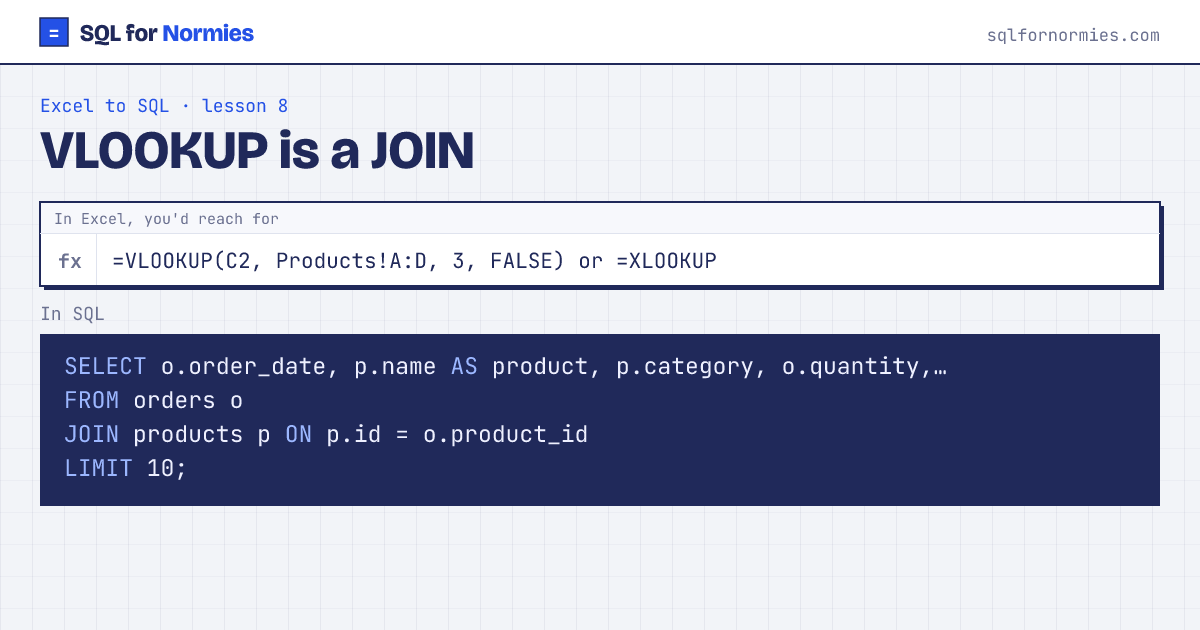
Orders only store a product_id. To see the product's name and price you'd VLOOKUP into the products sheet. In SQL you join the two tables on the column they share.
Read JOIN products p ON p.id = o.product_id as: "for each order, find the product whose id matches this order's product_id." The short letters (o, p) are nicknames so you don't type full table names everywhere.
| order_date | product | category | quantity | unit_price |
|---|---|---|---|---|
| 2026-01-01 | Desk Lamp | Office | 1 | 39 |
| 2026-01-01 | Desk Lamp | Office | 3 | 39 |
| 2026-01-01 | Standing Desk | Furniture | 1 | 449 |
| 2026-01-02 | Standing Desk | Furniture | 2 | 449 |
| 2026-01-02 | Desk Lamp | Office | 4 | 39 |
| 2026-01-02 | Ergo Chair | Furniture | 2 | 329 |
| 2026-01-03 | Notebook Pack | Stationery | 1 | 12 |
| 2026-01-04 | Notebook Pack | Stationery | 2 | 12 |
| 2026-01-04 | Monitor Arm | Office | 2 | 89 |
| 2026-01-04 | Noise-Cancel Headset | Electronics | 2 | 149 |
10 rows
Two differences from VLOOKUP, both in your favour. The join brings back as many columns as you like in one go, not one per formula. And there's no dragging a formula down 10,000 rows.
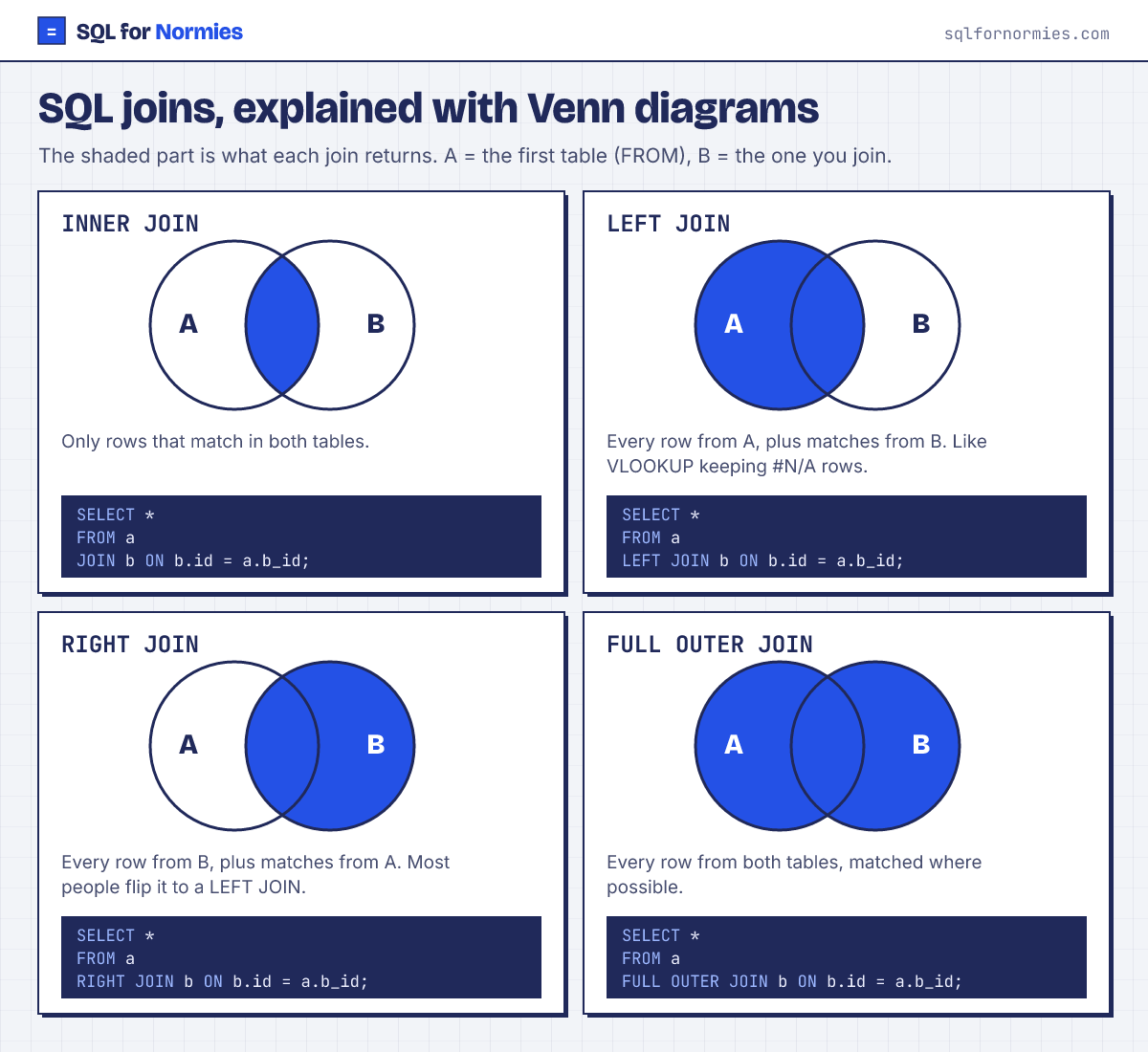
A plain JOIN drops rows that find no match (Excel would show #N/A). Use LEFT JOIN to keep them, with empty values where the match failed.
Your turn
Total revenue per product category: join orders to products and sum quantity * unit_price as revenue, highest first.
JOIN products p ON p.id = o.product_id, GROUP BY p.category, SUM(o.quantity * p.unit_price).
This page on one card