Excel to SQL · Lesson 9 of 12
IF is CASE WHEN
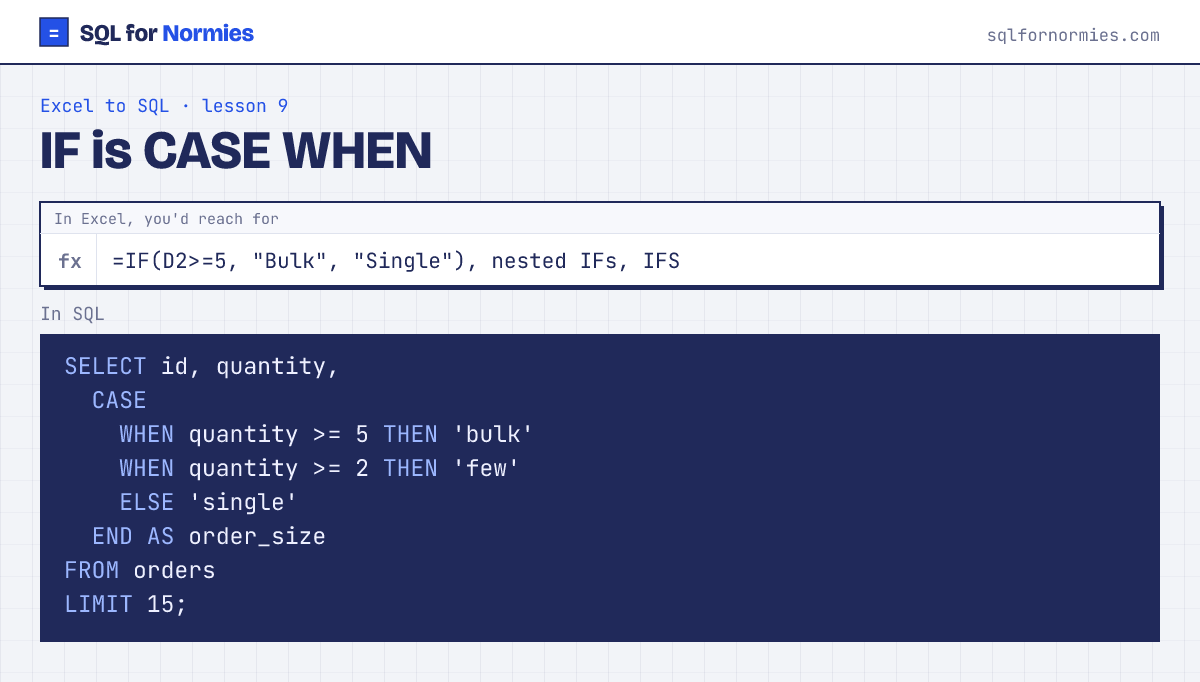
CASE WHEN is IF, written as a list instead of a nest. SQL checks each WHEN in order and uses the first one that's true. ELSE catches everything left over.
Try itEdit the query, then Run
| id | quantity | order_size |
|---|---|---|
| 1 | 1 | single |
| 2 | 3 | few |
| 3 | 1 | single |
| 4 | 2 | few |
| 5 | 4 | few |
| 6 | 2 | few |
| 7 | 1 | single |
| 8 | 2 | few |
| 9 | 2 | few |
| 10 | 2 | few |
Showing 10 of 15 rows. Press Run to see them all.
The real power is grouping by the label you just made, which in Excel needs a helper column and then a pivot:
SELECT CASE WHEN quantity >= 5 THEN 'bulk' ELSE 'small' END AS size,
       COUNT(*) AS orders
FROM orders
GROUP BY size;
Your turn
Solved
Label each subscription 'paying a lot' when mrr is 100 or more, otherwise 'standard', as a column called tier. Count subscriptions per tier as subs.
CASE WHEN mrr >= 100 THEN ... ELSE ... END AS tier, then GROUP BY tier.
This page on one card