Excel to SQL · Lesson 7 of 12
Filter a pivot table with HAVING
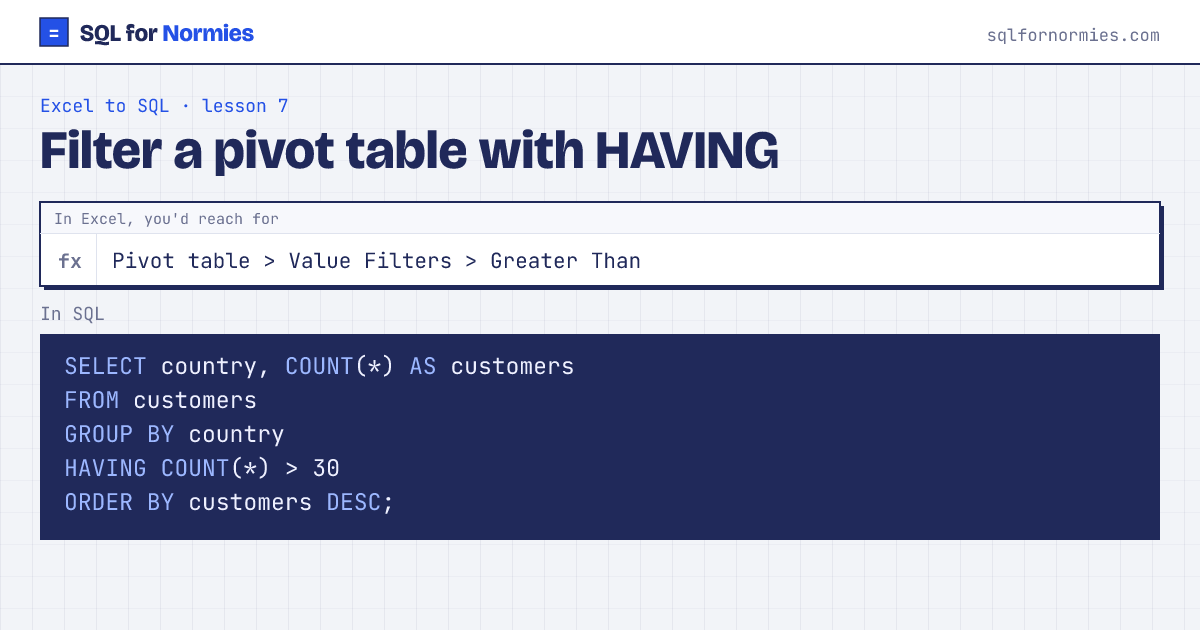
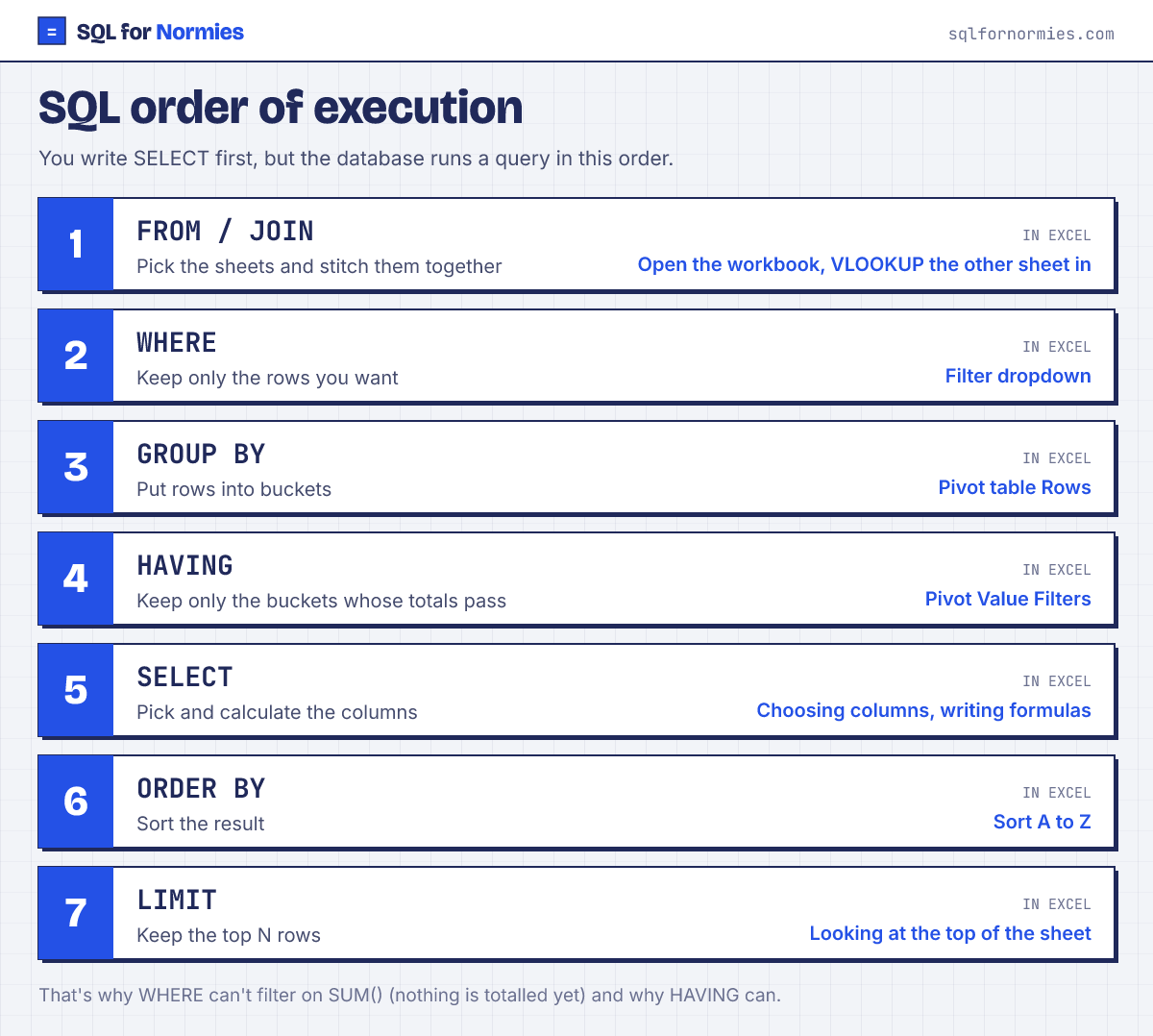
Sometimes you only want the buckets whose total passes a test: countries with more than 30 customers, say. You can't use WHERE for that, because WHERE runs on single rows before anything is totalled.
HAVING is WHERE for totals. It comes after GROUP BY.
Try itEdit the query, then Run
| country | customers |
|---|---|
| United States | 130 |
| India | 78 |
| United Kingdom | 53 |
| Nigeria | 31 |
4 rows
Rule of thumb: filtering raw rows (a date range, one region) is WHERE. Filtering on a SUM or COUNT is HAVING. You can use both in one query.
Your turn
Which customers have placed 3 or more orders? Show customer_id and the count as orders.
GROUP BY customer_id, then HAVING COUNT(*) >= 3.
This page on one card