Excel to SQL · Lesson 6 of 12
A pivot table is GROUP BY
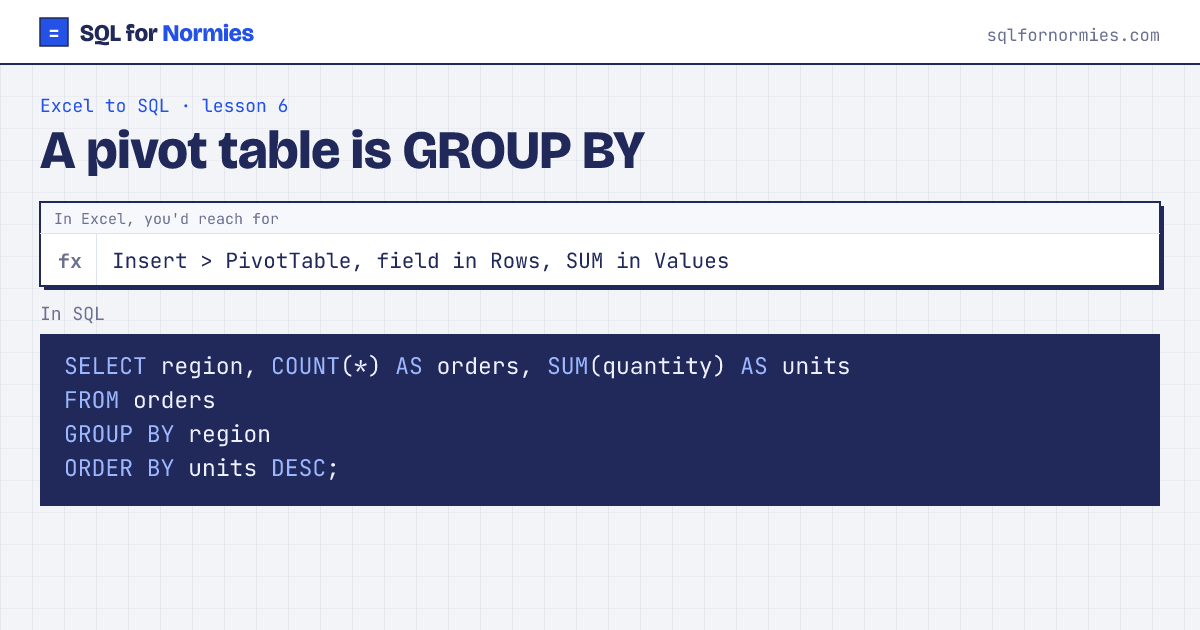
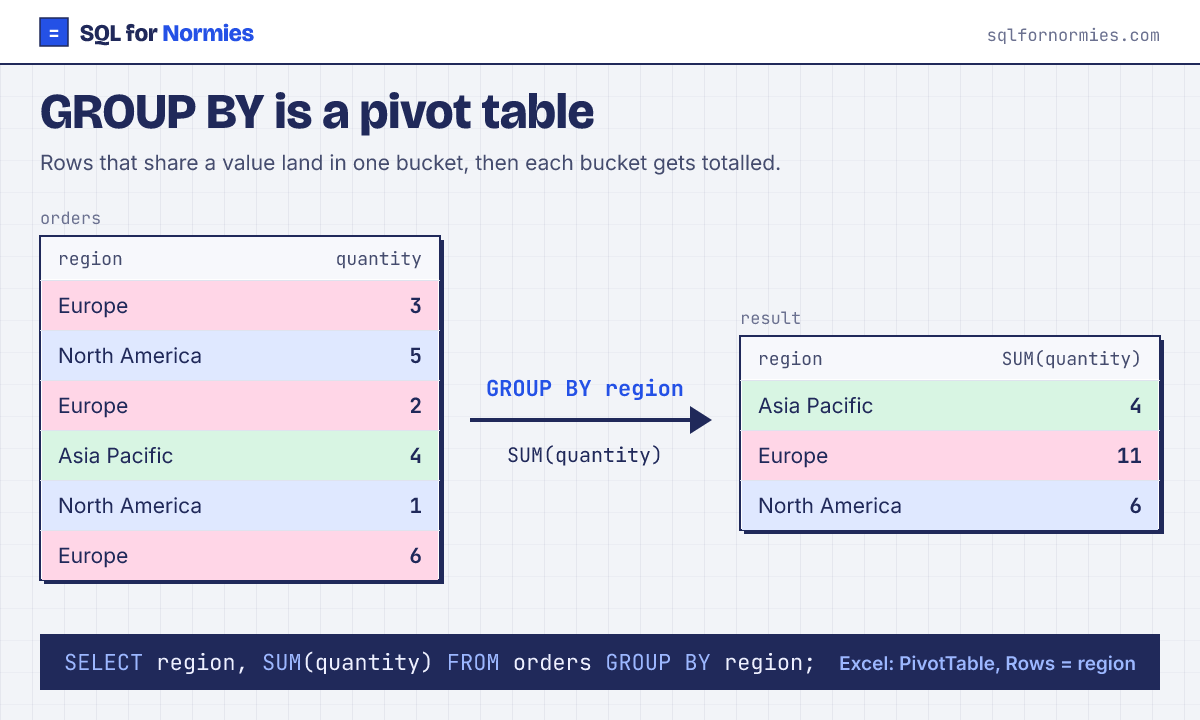
A pivot table takes rows, puts them in buckets (the field you drag to Rows), and totals each bucket (the field in Values). That is exactly GROUP BY.
The column you group by goes in the SELECT too, so you can see which bucket each total belongs to.
| region | orders | units |
|---|---|---|
| Asia Pacific | 165 | 515 |
| Latin America | 147 | 460 |
| North America | 151 | 452 |
| Europe | 137 | 416 |
4 rows
Two fields in Rows? Group by both: GROUP BY region, product_id. Months in Rows? Group by the month part of the date: GROUP BY substr(order_date, 1, 7) turns 2026-03-14 into 2026-03.
Want a field in Columns too, like regions across the top? That's turning rows into columns: see pivot in SQL.
Your turn
How many customers came from each acquisition_channel? Show the channel and the count as customers, biggest first.
GROUP BY acquisition_channel, COUNT(*), then ORDER BY the count DESC.
This page on one card