SQL COUNT: count rows, values and blanks
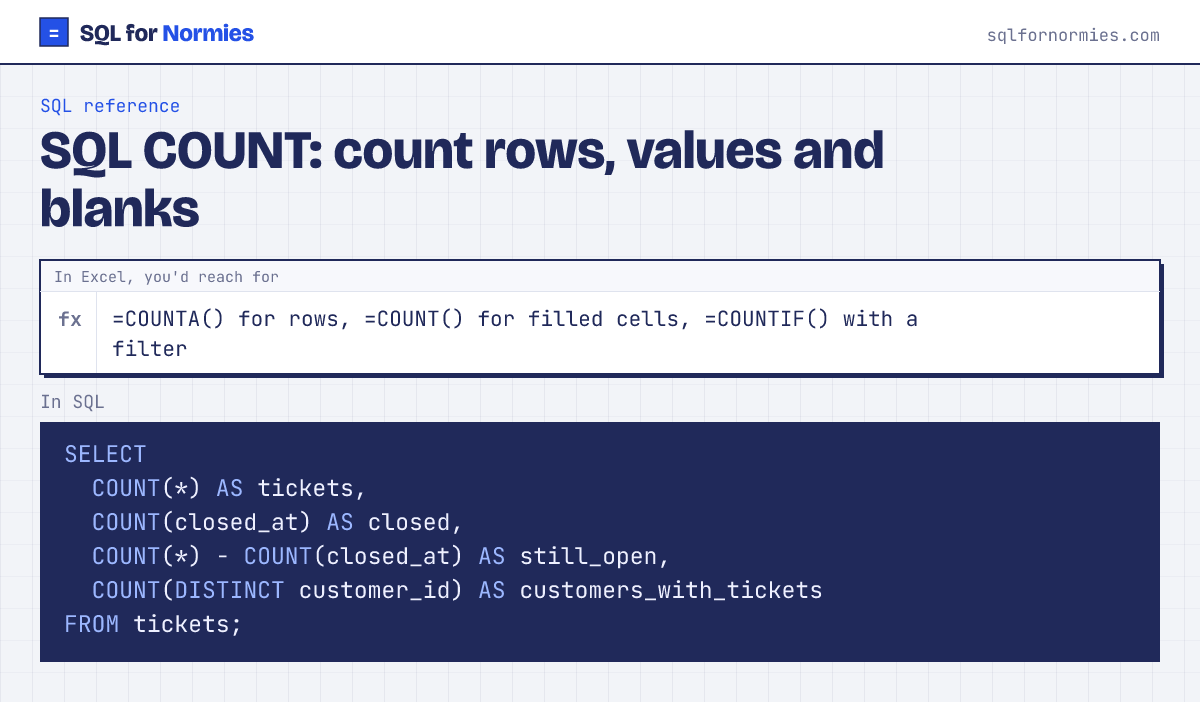
Three counts that look alike and answer different questions:
COUNT(*): how many rows. "How many tickets?"COUNT(closed_at): how many rows where that column isn't blank. "How many tickets are closed?"COUNT(DISTINCT customer_id): how many different values. "How many customers raised a ticket?"
Syntax
COUNT(*)            -- every row
COUNT(column)       -- rows where column has a value
COUNT(DISTINCT col) -- different values
Try itEdit the query, then Run
| tickets | closed | still_open | customers_with_tickets |
|---|---|---|---|
| 520 | 489 | 31 | 293 |
1 row
Count per group with GROUP BY, and count with a condition with WHERE or SUM(CASE WHEN … THEN 1 ELSE 0 END), the SQL COUNTIF.
Your turn
In one row: total subscriptions, how many are cancelled (have a cancelled_at), and how many different customers have one.
COUNT(*), COUNT(cancelled_at), COUNT(DISTINCT customer_id).
This page on one card