Excel to SQL · Lesson 4 of 12
SUM, COUNT and AVERAGE
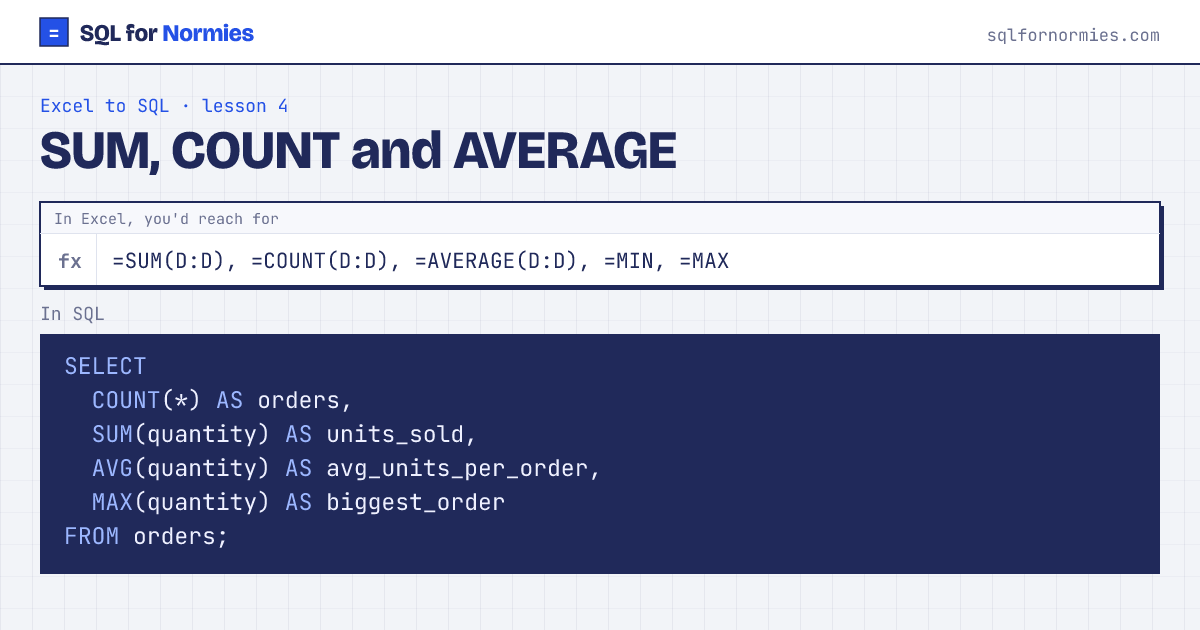
In Excel you put =SUM(D2:D601) under a column. In SQL you ask for the total directly, and get one row back.
The names are nearly the same: SUM, COUNT, AVG (not AVERAGE), MIN, MAX. Give each answer a readable name with AS, like a column header.
Try itEdit the query, then Run
| orders | units_sold | avg_units_per_order | biggest_order |
|---|---|---|---|
| 600 | 1843 | 3.07 | 6 |
1 row
COUNT(*) counts rows. COUNT(column) counts rows where that column isn't empty. COUNT(DISTINCT column) counts different values, which is the one Excel makes painful.
Your turn
How many different customers have placed an order? Call the answer buyers.
COUNT(DISTINCT customer_id).
This page on one card