Running total (cumulative sum) in SQL
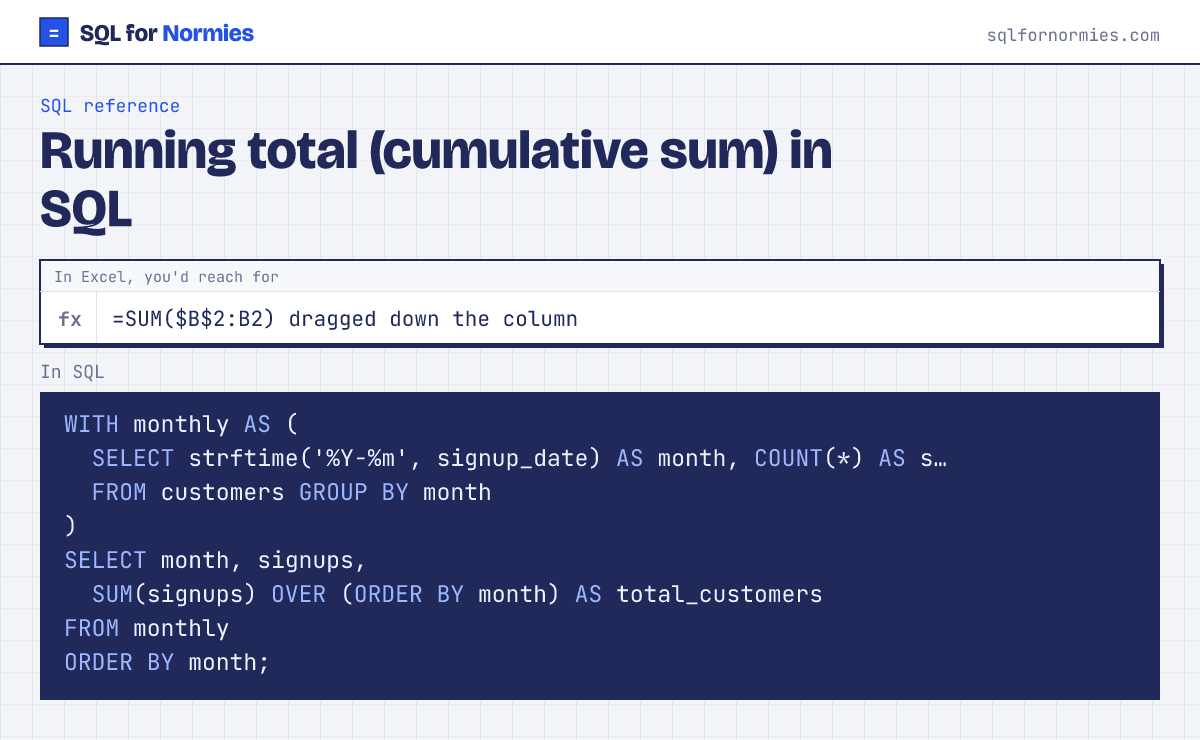
A running total adds each row to everything before it: cumulative signups, revenue year to date, units shipped so far. In Excel it's the formula with one end of the range locked, dragged down. In SQL it's one window function.
Syntax
SUM(value) OVER (ORDER BY date_col)Try itEdit the query, then Run
| month | signups | total_customers |
|---|---|---|
| 2026-01 | 48 | 48 |
| 2026-02 | 52 | 100 |
| 2026-03 | 75 | 175 |
| 2026-04 | 65 | 240 |
| 2026-05 | 96 | 336 |
| 2026-06 | 84 | 420 |
6 rows
A running total per group (say, per region) restarts with PARTITION BY: SUM(units) OVER (PARTITION BY region ORDER BY month).
If several rows share the same date, the default window adds all of them at once. Add a tie-breaker (ORDER BY date, id) or ROWS BETWEEN UNBOUNDED PRECEDING AND CURRENT ROW to step row by row.
Your turn
Cumulative marketing spend by month: month, monthly spend, and spend_to_date, in month order.
GROUP BY month, then SUM(SUM(spend)) OVER (ORDER BY month).
This page on one card