Real-world recipes · Operations analytics
Ticket resolution time and throughput
Two numbers every ops team watches: how long work takes (resolution time) and how much gets done (throughput).
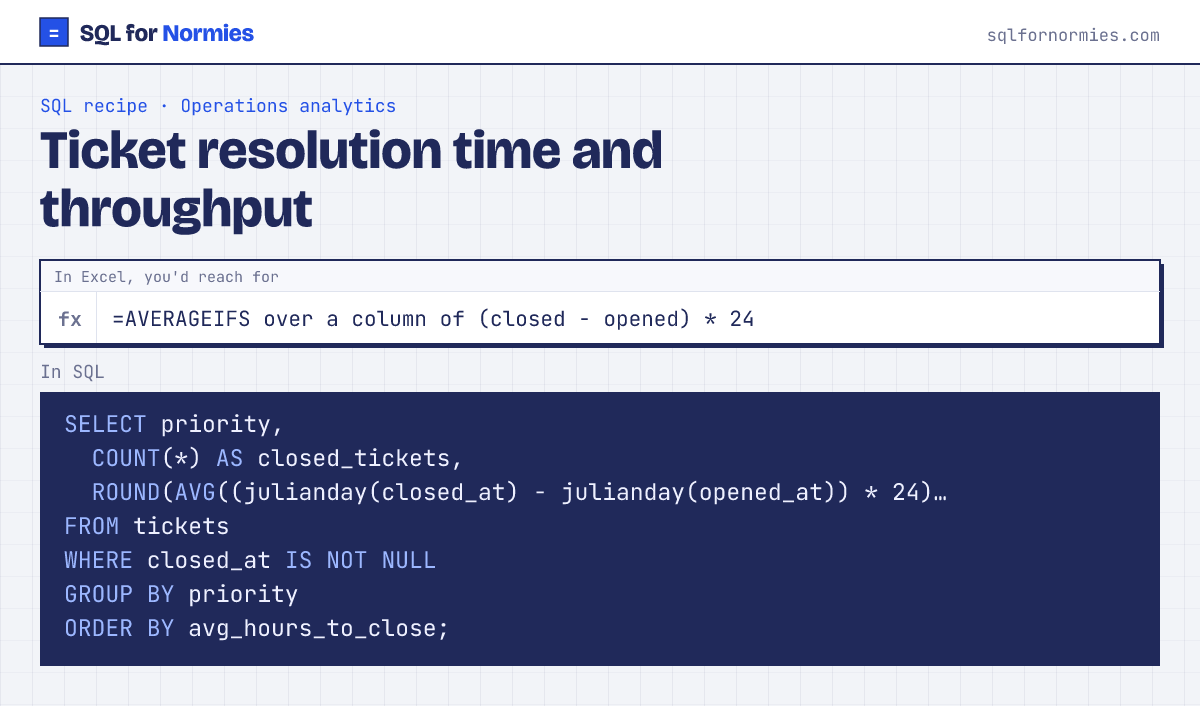
julianday() turns a timestamp into a day count, so subtracting two of them gives days; times 24 gives hours. Open tickets have no closed_at, so we leave them out.
Try itEdit the query, then Run
| priority | closed_tickets | avg_hours_to_close |
|---|---|---|
| urgent | 83 | 2.2 |
| normal | 200 | 15.4 |
| low | 206 | 43.5 |
3 rows
Averages hide slow outliers. Many teams also report the share closed within a target, for example AVG(CASE WHEN hours <= 24 THEN 1.0 ELSE 0 END) for "% closed within a day".
Your turn
Throughput: how many tickets did each agent close? Column closed, most first.
WHERE closed_at IS NOT NULL, GROUP BY agent.
This page on one card