Real-world recipes · Any daily metric
Rolling 7-day average
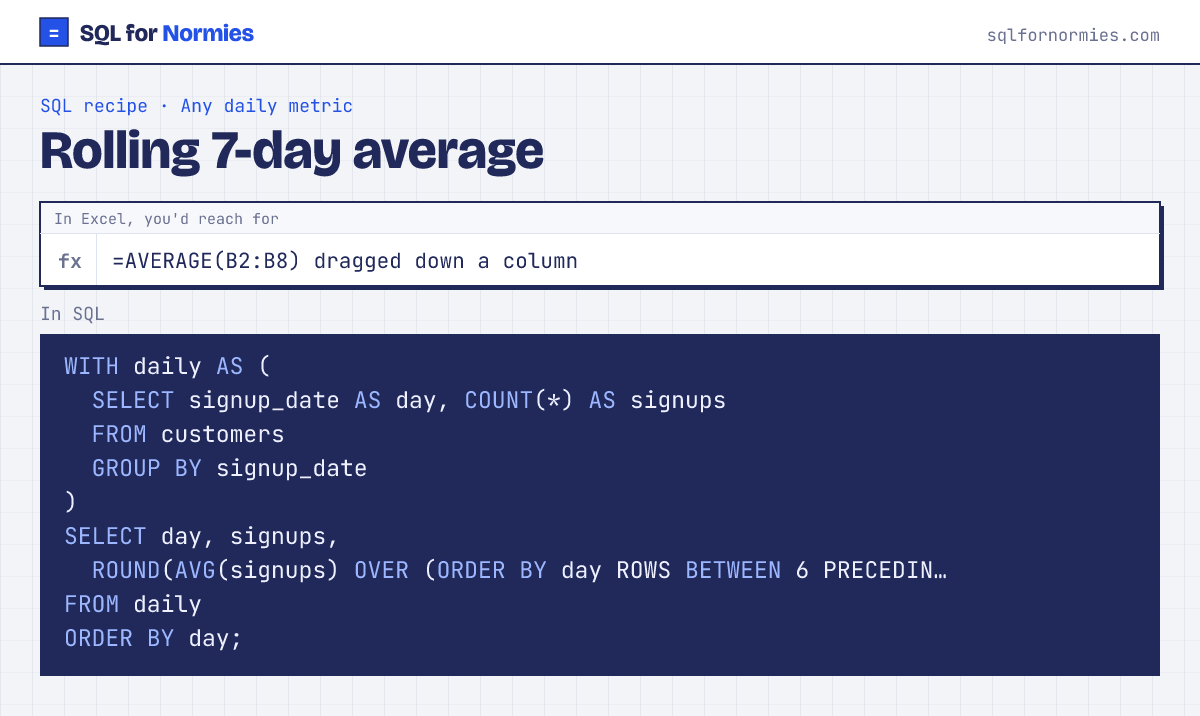
Daily numbers jump around. A 7-day rolling average smooths them so the trend shows. In Excel you'd drag =AVERAGE(B2:B8) down the sheet so the window slides.
SQL does the sliding with a window function: AVG(x) OVER (ORDER BY day ROWS BETWEEN 6 PRECEDING AND CURRENT ROW) means "average this row and the 6 before it".
| day | signups | rolling_7d_avg |
|---|---|---|
| 2026-01-01 | 2 | 2 |
| 2026-01-02 | 1 | 1.5 |
| 2026-01-05 | 1 | 1.33 |
| 2026-01-06 | 1 | 1.25 |
| 2026-01-07 | 2 | 1.4 |
| 2026-01-08 | 1 | 1.33 |
| 2026-01-10 | 2 | 1.43 |
| 2026-01-11 | 1 | 1.29 |
| 2026-01-12 | 3 | 1.57 |
| 2026-01-13 | 2 | 1.71 |
Showing 10 of 157 rows. Press Run to see them all.
Days with zero signups are missing from daily here, so the window is "the last 7 rows that have data". For an exact calendar window, build a list of every day first (like the month list in the MRR recipe) and LEFT JOIN onto it.
Your turn
Running total of signups: for each signup_date, show daily signups and total_so_far, in date order.
SUM(COUNT(*)) OVER (ORDER BY signup_date) adds up every day so far.
This page on one card